Advertisement
Click to download now, finish the installation quickly, and directly unlock the all-round experience
Advertisement
Screenshots
Click to download now, finish the installation quickly, and directly unlock the all-round experience
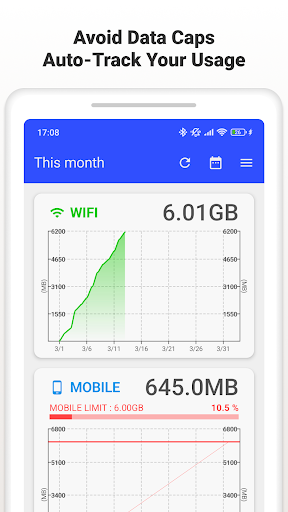
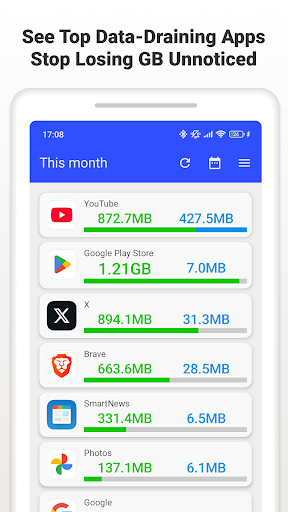
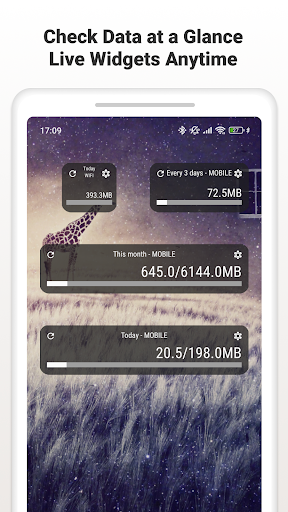
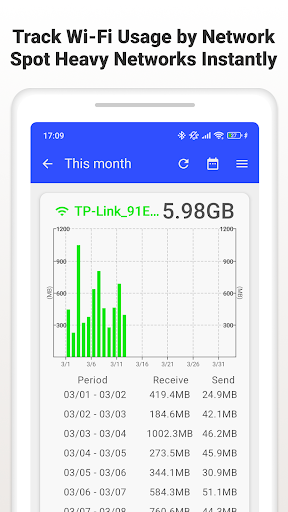
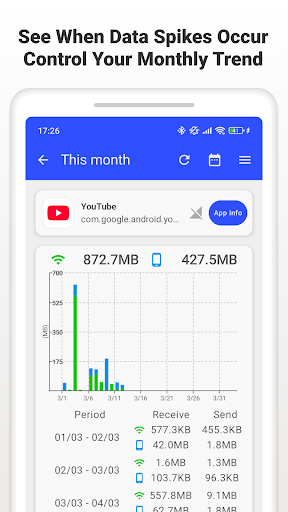
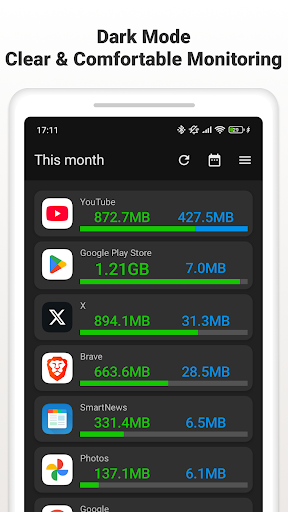
Data Usage Monitor tracks mobile and Wi-Fi data use, with totals you can review by day, week or month. It can also break usage down by app and, for Wi-Fi, by network name. Alerts can warn you as you approach a limit, while widgets and a status-bar display offer ways to keep an eye on usage without opening the app. It suits people who manage a data cap or want to find which apps are using their connection.
The app offers paid extras: an ad-free experience, an always-on status-bar meter and enhanced widgets. Google Play Billing access is listed for purchases. Check which displays are available without paying before relying on a particular widget or meter.
Usage records and alerts can help you monitor a plan, but check that the app’s readings match your carrier’s billing period and totals before treating them as a bill estimate.
Data Usage Monitor is listed in Tools and is developed by Lufesu Inc. It has a 3.94 rating from 32,225 ratings and more than 1,000,000 installs. Those numbers indicate broad use, but they do not tell you whether its permission requests or paid features suit your needs.